
Local business listing management is simply the work of keeping your business information correct and consistent everywhere it appears online. Think of directories, map apps, and search engines. The goal is to make sure customers always find the right name, address, phone number, and hours. This isn't just a box to check; it’s a critical piece of your marketing that directly affects your local search rankings and whether customers trust you.
Why Your Local Listings Are a Core Business Asset
It's time to stop thinking of your online listings as just digital phonebook entries. They're much more than that. They are your digital front door and a powerful asset that can generate real revenue.
For today's customers, the journey to making a purchase almost always starts with a local search on a platform like Google Maps or Yelp. When someone searches for "cafe near me," they aren't just browsing—they're ready to walk in and buy something right now.
This is where your listings connect the dots between a search and a sale. In fact, a staggering 88% of consumers who do a local search on their phone will either call or visit a business within 24 hours. If your information is wrong, that opportunity is gone in a flash.
The Real Cost of Inaccurate Data
Let me give you a real-world example. A local restaurant had an old, wrong phone number listed on a major review site. A potential customer tried to call and book a dinner reservation for a party of 10, but the call wouldn't go through. Frustrated, they just called the next restaurant on the list—a direct competitor—and booked with them instead.
That single outdated listing cost the business hundreds of dollars in immediate revenue and likely lost them a long-term customer.
This shows the direct financial hit you can take from simple neglect. Managing your local listings isn't some passive admin task; it's an active strategy to grab ready-to-buy customers before your competition does.
This is exactly why building a strong foundation in local SEO is so crucial for growth. Every accurate listing sends a trust signal to search engines, bumping up your visibility. On the flip side, every incorrect one actively pushes customers away and chips away at your credibility.
To really get a handle on why your listings are so valuable, I recommend digging into understanding the importance of Google Business Profiles for local businesses. Mastering that one platform is often the best and most impactful place to start.
Auditing and Claiming Your Digital Foundation
Before you can build a strong local presence, you need to survey the land. Your business is probably already listed online in different directories and map apps, but is the information right? This is where local business listing management truly begins: with a deep-dive audit to find and secure your digital footprint.
This isn't just about a quick Google search. You have to systematically hunt for your business name, including any common typos, old branding, or previous locations. This detective work often turns up rogue listings created by data aggregators or even well-meaning customers that are actively misleading your potential buyers.
Think of it this way: every incorrect listing is a broken signpost pointing customers in the completely wrong direction.
The Bedrock of Local SEO: NAP Consistency
At the core of this audit is NAP consistency. This little acronym is everything, standing for your business Name, Address, and Phone Number. To a search engine like Google, your NAP is your digital fingerprint.
When this key data is identical across every single platform—from your Google Business Profile to some tiny, niche directory—it sends a huge signal of trust. Search engines see this consistency and feel more confident showing your business to people searching nearby.
On the other hand, even tiny mistakes can create confusion and doubt. For example:
- Name: "Smith's Plumbing Inc." vs. "Smith's Plumbing"
- Address: "123 Main Street" vs. "123 Main St."
- Phone: "(555) 123-4567" vs. "555.123.4567"
These small slip-ups can look like different businesses to a search engine, which weakens your authority and hurts your local search rankings.
Taking Control: Claiming Your Profiles
Once you've mapped out where your business is listed, the next move is to claim ownership. When you claim a profile, especially your Google Business Profile, you're grabbing the keys to control exactly what information customers see.
Verification usually involves getting a postcard with a PIN sent to your physical address, but sometimes it’s a phone call or an email. This is how the platform confirms you’re the real owner.
But what if a profile is already claimed? This happens more than you'd think, sometimes by a former employee or an old marketing agency. In that situation, you’ll have to go through the platform's process to request ownership, which typically involves proving your connection to the business.
Pro Tip: Don't just claim your Google profile and call it a day. Make it a priority to claim your listings on other major players like Apple Maps, Yelp, and Bing Places. Securing these main profiles builds a protective wall around your brand's most important information.
Core Listing Audit Checklist
Use this checklist to systematically audit and claim your most critical online business listings for consistency and accuracy.
| Platform | Check for NAP Consistency | Verify Ownership | Check for Duplicates | Action Required |
|---|---|---|---|---|
| Google Business Profile | ||||
| Bing Places | ||||
| Apple Maps | ||||
| Yelp | ||||
| Top 3 Industry Directories |
Once you've worked through these key platforms, you'll have a much stronger and more trustworthy foundation for your local SEO efforts.
The visual below shows how inconsistent listings can completely break the customer's journey, leading someone who is actively searching for you to a dead end.
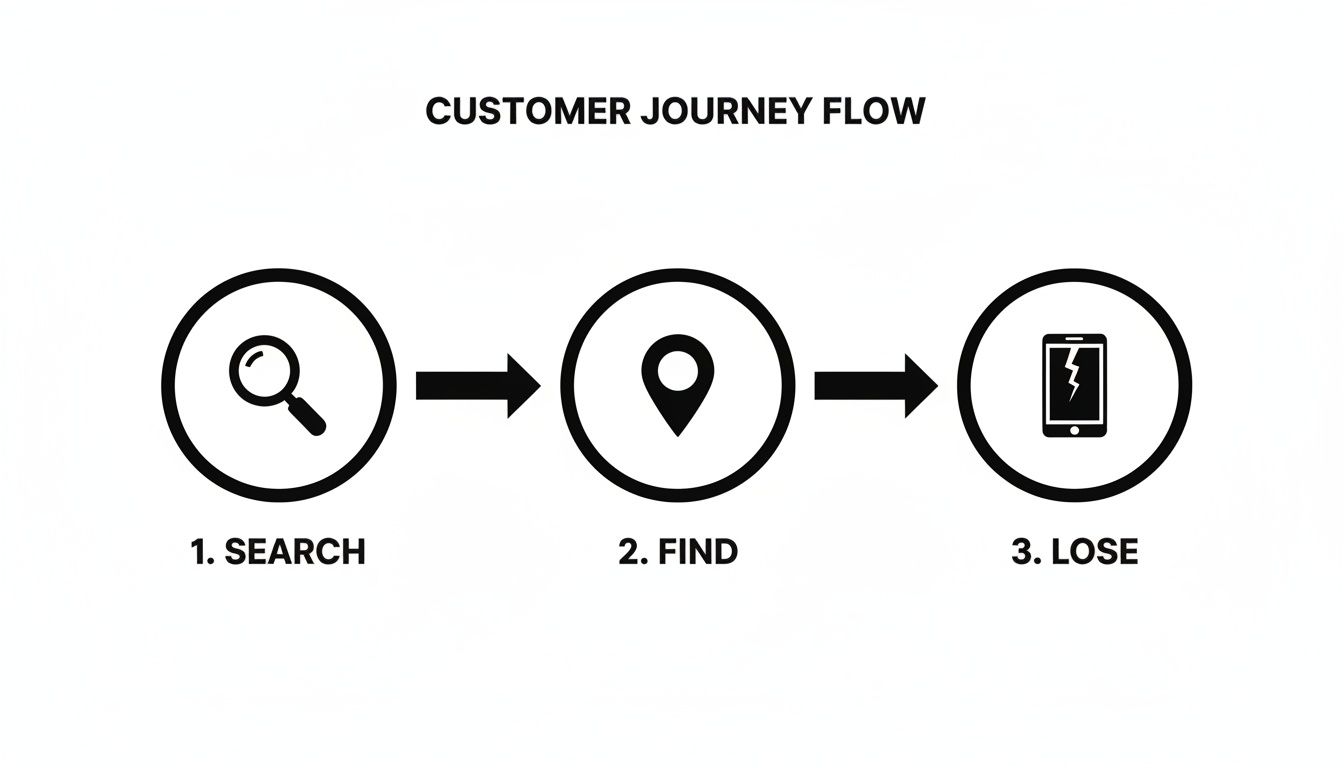
This just goes to show that while a customer may find you, an incorrect phone number or address stops them in their tracks, costing you a sale. To see how your business stacks up online right now, you can get a much clearer picture with a free local listings report that automates this whole initial audit for you.
Optimizing Your Profiles to Win Local Searches
Now that you've claimed your foundational listings, it's time to turn them into customer-winning machines. Think of a claimed profile as an empty storefront. Optimization is how you stock the shelves, design the window display, and flip the "Open" sign to pull in people searching for exactly what you sell. This is absolutely critical for your Google Business Profile (GBP), which is the undisputed king of local search.
Effective local business listing management is about so much more than just having the right address. You have to strategically fill your profiles with rich, relevant details that answer a customer's questions before they even think to ask. This isn't just great for your audience; it sends powerful signals to Google's algorithm about your business's authority.
The impact on your bottom line can be huge. Consider this: 42% of local searches end with a click on Google's Local Map Pack. For many local businesses, a fully optimized and verified GBP can drive hundreds of real customer interactions and website visits every single month. You can see more data on how local listings drive business metrics.

The image above shows just one small piece of the puzzle—your business hours. Keeping details like this meticulously updated is a simple way to prevent customer frustration and avoid losing a sale over bad information.
Choosing Categories That Attract the Right Customers
One of the most powerful optimizations you can make is selecting the right business categories. Your primary category needs to be the single best description of what your business is most known for.
An HVAC company, for instance, should have "HVAC contractor" as its primary category. But don't stop there. This is where a lot of businesses miss out. Secondary categories are your secret weapon for capturing more specific, high-intent searches.
- Primary Category: The core of what you do (e.g., "Plumber").
- Secondary Categories: The specific services you offer (e.g., "Water heater repair service," "Drain cleaning service").
For our HVAC example, adding "Air conditioning repair service" and "Heating contractor" helps them show up when a homeowner desperately searches for "emergency AC repair near me."
Crafting a Compelling and Keyword-Rich Description
Think of your business description as your elevator pitch. It’s your one shot to tell potential customers who you are, what you do, and why you’re their best choice—all while naturally including important local keywords.
Don't just write a generic "We are a full-service HVAC company." That’s a missed opportunity. Try something with more personality and detail:
"For over 20 years, our family-owned HVAC team has provided reliable emergency AC repair and furnace installation services to homeowners across Morristown. We specialize in energy-efficient systems and offer 24/7 support for all your heating and cooling needs."
See the difference? This version is far more engaging and also packs in valuable search terms that help Google connect the dots. A well-written description can be a game-changer, and you can dive into more strategies in our guide on how to optimize your Google Business Profile.
Leveraging Advanced Profile Features
Modern business profiles are no longer static pages; they're dynamic, interactive marketing channels. Using these tools consistently tells search engines that your business is active, engaged, and ready for customers.
Google Posts
Use Posts to share special offers, announce a new service, or show off a recently completed project. That HVAC company could create a Post for a "Spring AC Tune-Up Special," complete with a button that links right to their booking page.
Q&A Section
Don't wait for customers to ask questions—answer them ahead of time. Add common questions you get all the time, like "Do you offer financing?" or "What are your emergency service hours?" and provide the answers yourself. This builds a helpful FAQ right on your profile.
High-Quality Photos
Photos are proof. People want to see who they're hiring. Upload high-quality, geotagged images of your team at work, your service vehicles, and your completed projects. If you have happy customers who don't mind, get a picture with them! This visual evidence builds a ton of trust and makes you stand out from competitors who are just using stock photos.
Scaling Your Presence with Citation Management
Getting your Google Business Profile dialed in is a huge step forward, but it’s really just one piece of the local visibility puzzle. Your business information is scattered across dozens, if not hundreds, of other online directories, apps, and websites. To really manage your local listings effectively, you have to scale your efforts and get control over this much wider digital footprint.
This is where citation management becomes non-negotiable. A citation is just an online mention of your business's core information: its Name, Address, and Phone number (NAP). Think of each one as a third-party vote of confidence for search engines.
When Google sees your exact NAP on Yelp, Apple Maps, and a niche industry directory, it becomes more confident that your business is real and located right where you claim. Having these consistent citations spread far and wide builds a powerful web of trust that directly boosts your local search rankings.
Manual Building vs. Automated Syndication
You’ve got two main ways to tackle citation management. The first is the manual approach—finding relevant directories one by one and painstakingly submitting your information. While this gives you total control, it's an incredibly slow and difficult process to maintain over time.
For instance, a local plumber might add their business to a home services directory. A month later, they find another one, and then another. Trying to keep track of all the passwords and making sure every single detail matches perfectly becomes a nightmare fast.
A much smarter strategy is to use a listing syndication service. These platforms take your correct NAP data and automatically push it out to a massive network of directories. This saves a ton of time and, more importantly, ensures the consistency that is so critical for local SEO success.
The real magic of syndication is its connection to data aggregators. These are the major data hubs that feed information to hundreds of smaller apps, GPS systems, and niche directories you'd probably never find on your own.
The Role of Data Aggregators
Think of data aggregators as the wholesalers of business information. They gather, double-check, and then distribute business data across a vast network. When you update your store hours using a syndication service, that change doesn't just go to a few dozen popular sites; it filters down through these aggregators to countless other platforms.
This creates a massive ripple effect, overwriting old, inaccurate data across the web and cementing your digital presence. Beyond just managing profiles, scaling your presence means understanding the bigger picture of offsite SEO for Generative Engine Optimization (GEO), which is becoming more important as search evolves. This broader view ensures your business isn't just listed, but is seen as an authority everywhere it appears, turning simple listings into a robust network that drives real customers to your door.
Maintaining Momentum with Ongoing Management
Effective local business listing management isn't a "set it and forget it" task. Think of it as an ongoing conversation—a continuous process of engagement, monitoring, and refinement that keeps your online presence sharp and relevant. Once you've audited, claimed, and optimized your core profiles, the real work of maintaining that momentum begins.
This ongoing effort signals to both customers and search engines that your business is active, reliable, and part of the local community. A static, untouched profile can quickly look abandoned, while a dynamic one becomes a powerful channel for customer interaction and trust-building.

Establishing a Sustainable Workflow
First things first, you need to create a manageable routine. You don't need to spend hours glued to your screen every day, but consistent check-ins are absolutely essential for catching small issues before they snowball into real problems.
A solid workflow should include a few key habits:
- Weekly Review Checks: Set aside a small block of time each week. Use it to scan your primary listings (especially your Google Business Profile) for any new reviews, customer questions, or user-suggested edits that have popped up.
- Immediate Information Updates: The moment any core business detail changes—like holiday hours, a new service, or an updated phone number—make updating it across all your major platforms the top priority.
- Regular Content Freshness: Plan to use features like Google Posts at least once a week. It’s perfect for announcing specials, sharing blog updates, or highlighting a recent project. This simple step keeps your profile from looking stale.
The Art of Review Management
Responding to reviews is one of the most visible parts of ongoing management. It's your public conversation with customers, and believe me, everyone is watching. In fact, a staggering 95% of consumers use reviews to make local purchasing decisions, which turns your responses into a critical marketing tool.
A negative review isn't a disaster; it's an opportunity. A calm, professional, and genuinely helpful response can completely turn a bad experience around. More importantly, it shows other potential customers that you stand by your service and care about getting it right.
Pro Tip: Never, ever use a generic, copied-and-pasted response for negative feedback. Address the reviewer's specific complaint, apologize for their experience (even if you feel you weren't at fault), and offer to take the conversation offline to find a real solution.
For positive reviews, a simple "Thank you!" is good, but a personalized reply is so much better. Mention something specific from their review to show you actually read and appreciate their feedback. This small effort goes a long way in encouraging more customers to share their own positive experiences.
Handling User Edits and Fresh Content
Platforms like Google Maps allow users to suggest edits to your business information. While often well-intentioned, these suggestions can sometimes be flat-out wrong. If you aren't monitoring your profile, an inaccurate change could go live without you ever knowing.
Regularly check your dashboard for these notifications. Make it a habit to either approve or reject them promptly to maintain full control over your business data. This vigilance is a core part of proactive local business listing management.
You also need to prioritize where you spend your time. Google Business Profile has become the undisputed leader in local search, commanding approximately 68% of all local interactions. For any business with limited time, this means focusing your energy on Google will almost always provide the best return. You can learn more about this trend and the future of business directories to see where the industry is heading. This is the 80/20 rule in action—master the platform that delivers the vast majority of your results.
Common Questions About Local Listing Management
If you're digging into local business listings, you're not alone. Business owners often run into the same questions and challenges. Getting some clear, straight-up answers can help you put your energy where it counts and sidestep the common mistakes.
One of the biggest questions I hear is about how often to check your listings. For your most important profiles, like your Google Business Profile, you should be in there at least weekly. You're looking for new reviews to respond to or any sneaky "user suggested edits" that could be changing your information without you knowing.
But here's the critical part: if any of your core business information changes—your hours, phone number, or especially your address—that update needs to happen immediately, everywhere. Not just on Google, but across the board.
DIY vs. A Management Service
So, should you do this all yourself or hire a service? It's a fair question.
You can absolutely manage the big players like Google, Apple Maps, and Yelp by hand. Honestly, it's a great way to get your feet wet and understand the process.
The real bear is the time it takes. Your business info lives on hundreds of smaller directories, and hunting down every inconsistency is a massive time sink. This is where a management service shines. It automates pushing your correct data out, saving you countless hours and building up your local authority way faster than you could on your own.
Here's a good way to think about it: all your listings are "citations" (which are just online mentions of your business name, address, and phone number), but you can't directly log in and edit every single citation. A service helps you influence those uncontrollable mentions by feeding the correct data to the major data aggregators, which then trickle that information down to smaller sites.
Where to Focus Your Efforts First
With so many directories out there, where do you even start? It's simple: always begin with your Google Business Profile. This is non-negotiable. Your GBP is what feeds your information directly into Google Search and Google Maps, which is where the huge majority of your potential local customers are looking for you.
Once you have your GBP locked down and looking sharp, move on to the next most important platforms:
- Apple Maps: You can't ignore iPhone users.
- Yelp: Still a major player, especially for service businesses, because of its review-driven community.
- Facebook: It's both a social hub and a powerful tool for local discovery.
After that, you can get more specific. Look for the top-tier directories in your particular industry. If you run a hotel, TripAdvisor is a must. If you're a lawyer, you need to be on Avvo. This tiered approach makes sure you're spending your valuable time on the platforms that will actually bring you more business.
At SWAT Marketing Solutions, we take the headache and complexity out of local listing management. Our Turbo Listings service makes sure your business information is accurate and consistent across more than 65 of the most critical online directories, saving you time and getting you seen by more local customers. Learn how we can help you get found.