You've polished your Facebook Business Page. The logo is clean, the cover image looks professional, the services are listed, and you've invited everyone you know. Yet the local HVAC company down the street still sees almost no interaction, while the few people who do visit aren't calling, messaging, or booking.
That outcome is common because Facebook Business Page optimization isn't just profile completion. A complete Page can still be difficult to discover, weakly differentiated, and poorly connected to the next action a buyer needs to take. For many Pages, organic reach commonly lands in the 2% to 5% range of followers per post, according to Facebook benchmark data from Socialinsider. A finished profile isn't necessarily a reachable profile.
The practical question has changed. Instead of asking how to make a Page look complete, ask whether it sends consistent local trust signals, answers buyer questions, and turns limited visibility into calls, DMs, visits, and leads.
Why Your Facebook Page Looks Great but Still Flops
A local HVAC owner can spend a weekend refining the Page, then publish a service promotion that earns two likes. The cover photo shows a polished technician, the About section lists installation and repairs, and the Page has invited followers. The setup looks finished, yet no one calls, messages, or books.
The issue is usually positioning. The Page was built as a brochure instead of a conversion asset and local trust layer. It contains information, but it does not connect discovery with proof and a clear contact option.
Complete doesn't mean reachable
Organic distribution remains limited for many business Pages. A benchmark cited by Sprout Social's Facebook marketing statistics reports average engagement per post of about 0.15% across major business Pages, with photo posts at about 0.20% in the same benchmark set. These figures are reference points, not a forecast for every local business, but they set a more realistic expectation than assuming every follower will see each post.
A Page can have:
- Accurate business details without giving a visitor a strong reason to contact the company.
- Regular posts that reflect the owner's priorities instead of the customer's questions.
- Professional design that conflicts with the Google Business Profile or website.
- Followers without meaningful conversations, quote requests, or trackable lead activity.
The recurring failure points are misaligned branding signals, generic About copy with little local relevance, and a publishing cadence based on platform activity rather than customer intent. A sharper profile image cannot correct those gaps.
Practical rule: Treat every Page element as evidence that helps a customer decide whether to trust, contact, or visit the business.
With organic reach often limited, the Page needs to work at several moments: a local searcher checking legitimacy, a past customer looking for a phone number, and a ready buyer choosing between nearby providers. Optimize for those decisions, not passive likes. The result should be a clearer path to calls, Messenger conversations, bookings, and foot traffic.
Profile and Branding Setup That Signals Trust
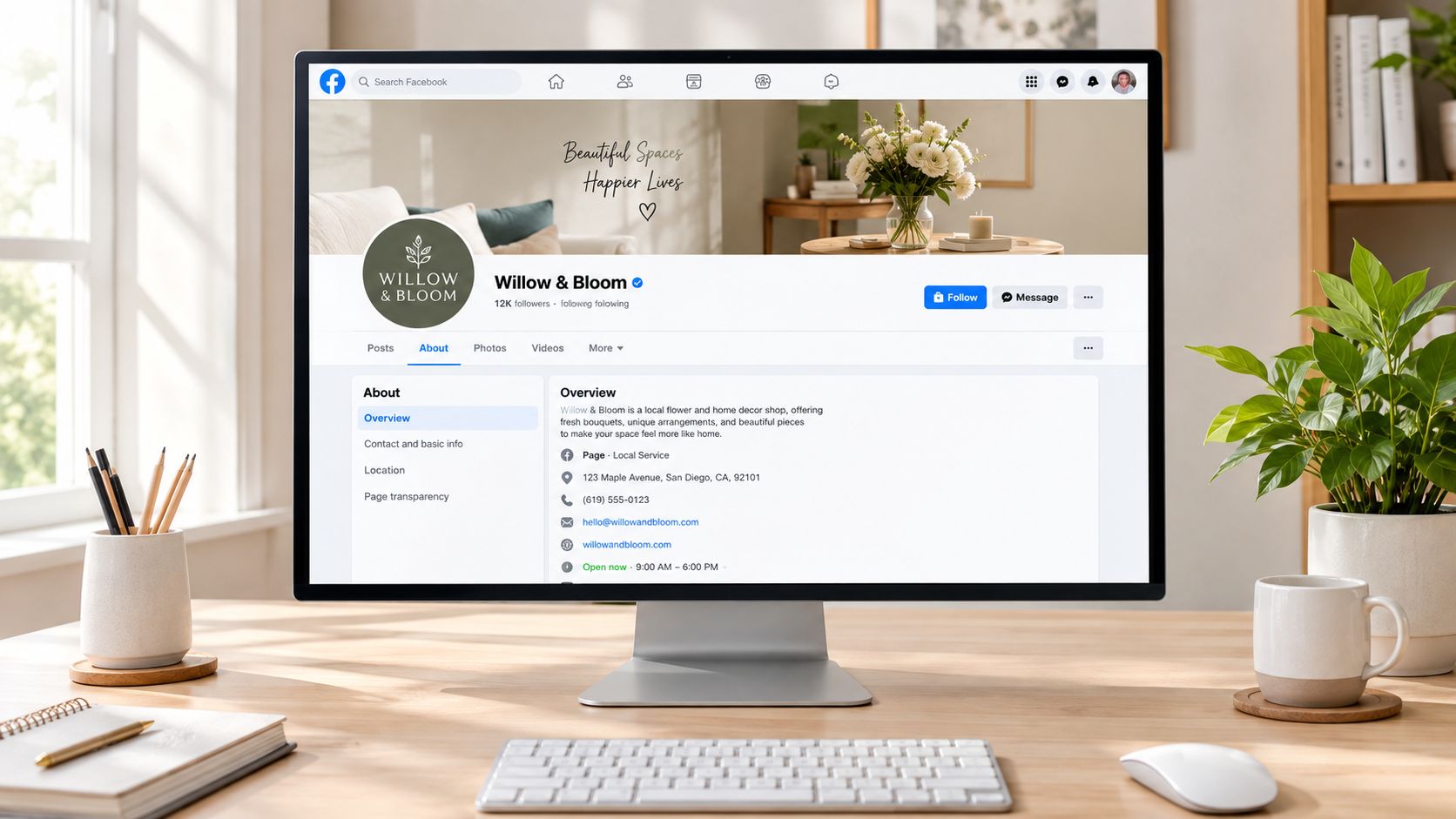
A visitor should understand who you serve, what you do, where you operate, and what to do next without hunting through the Page. Profile and branding fields create that first impression, but consistency matters more than decoration.
Build a recognizable first screen
Start with the username and vanity URL. Use the business name customers already see on the website, Google Business Profile, Instagram, and printed materials whenever possible. A mismatched handle can make a legitimate company look disconnected across platforms.
Choose the most specific available category. “Local Business” gives visitors little context, while a category such as “HVAC Contractor,” “Pest Control Service,” or “Plumbing Service” immediately clarifies the business model. The category should describe the primary customer need, not the owner's preferred marketing language.
Use the profile image for recognition, not detail. A pest control company's logo should remain legible when displayed on a phone screen, where fine text and complex illustrations disappear. A simple mark, strong contrast, and consistent colors usually perform better than a crowded logo lockup.
For the cover image, use a clear value proposition rather than generic stock art. Facebook's commonly referenced cover dimensions are 820 by 312 pixels, as documented in Facebook's business help guidance. Keep the primary message short, such as “Fast Pest Control in Raleigh,” and pair it with a real service image or branded background.
Match the button to the funnel
The action button should reflect the action the business can fulfill quickly.
- Book Now: Use it when customers can schedule an appointment without a long consultation.
- Get Quote: Use it for remodeling, commercial services, roofing, and other work that needs project details.
- Call Now: Use it when urgent phone conversations drive the highest-quality leads.
- Send Message: Use it when qualification happens through Messenger.
Avoid sending every visitor to the homepage. A homepage often forces people to search for contact details, service areas, or booking options. Link the button to the shortest relevant path, such as a quote form, appointment page, or click-to-call destination.
An optimized first screen for a local pest control company would show the correct logo, a readable handle matching other listings, a specific service category, a branded cover with a local value proposition, accurate hours and contact information, and a CTA connected to the actual sales process. Default placeholders, vague stock photographs, and buttons that lead to dead-end pages create friction before the customer has even asked a question.
SEO-Ready About, Services, and Local Trust Layer
The About section should do more than describe the company. It should help a visitor confirm that the Page matches the service and location they need.
Lead with the customer's language. A service-area business might write, “Emergency plumber serving Tampa and nearby communities,” rather than “We're the best plumbing company in the industry.” The first version identifies a service, an intent, and a location. The second makes a claim without adding useful context.
Use the opening portion as a concise headline, then expand with a natural elevator pitch. Include the primary services, areas served, contact method, and a practical reason to choose the company. Don't force the same phrase into every sentence. Keyword stuffing makes the copy harder to read and can weaken trust.
Keep local business information aligned
The Page should agree with the company's Google Business Profile, website, Apple Maps listing, Bing Places profile, and other public directories. Match the business name, address or service-area wording, phone number, hours, website URL, and core description.
This consistency matters because customers often move between platforms during one decision. Someone may discover a business on Facebook, verify its hours on Google, and then check the website before calling. Conflicting information creates uncertainty, particularly for service businesses that visit customers rather than operate from a storefront.
The Facebook Page can function as a local trust layer when it confirms the same facts across that journey. It shouldn't make a customer wonder whether they found an old location, an unofficial account, or a different branch.
Complete the Services experience
Add individual services instead of stopping at a broad category. For a plumber, that could include emergency repairs, water heater installation, drain cleaning, and leak detection. Each entry should have a clear name, a concise description, and pricing guidance where the business can provide it responsibly.
| About Section Field | Best Practice | Common Mistake |
|---|---|---|
| Page name | Use the established business name consistently | Adding awkward keywords that make the name look unnatural |
| Category | Select the most specific primary category available | Choosing a broad category that hides the service type |
| Short description | State the service, location, and customer outcome | Writing “best in the industry” without useful detail |
| Full description | Explain services, service areas, hours, and contact options | Leaving the field blank or pasting generic company copy |
| Phone and address | Match the website and local listings | Showing an outdated number or inconsistent address |
| Services tab | List distinct offerings with descriptions | Showing only a broad “Services” label |
| CTA button | Connect it to booking, quoting, calling, or messaging | Sending every visitor to the homepage |
A Shop or Services tab can help even service businesses because structured offerings make the Page easier to scan. The Page should answer the visitor's immediate question, “Do you provide the service I need in my area?” before asking for contact information.
Content Strategy and Posting Cadence That Beats Low Reach
A polished Page can still generate little business if its posts do not earn attention from nearby customers. Organic reach is often limited, so content planning should focus on qualified visibility, useful interactions, and clear next steps rather than filling a calendar.
Use four content pillars, each tied to a different buying concern. This keeps the Page useful without turning every update into a discount.
| Content Pillar | Example Post Type | Cadence | Primary Metric |
|---|---|---|---|
| Educational | Short Reel showing how to spot a failing capacitor | Weekly | Video watch time and saves |
| Behind the scenes | Technician preparation, shop tour, or team introduction | Weekly or biweekly | Comments and profile visits |
| Social proof | Customer photo, review excerpt, or completed-job carousel | Weekly | Shares, clicks, and inquiries |
| Direct offer | Seasonal service reminder with one clear CTA | As needed | Calls, messages, or bookings |
Build a cadence the team can maintain
A small service company does not need studio-level production. One short Reel, one educational photo or carousel, and one customer-focused post can form a workable week. Add another post only when a timely offer, seasonal need, or useful local update gives customers a reason to pay attention.
For an HVAC company, the sequence could be:
- Reel: A technician demonstrates a simple sign that an air filter needs attention.
- Carousel: Several maintenance mistakes that increase the risk of a breakdown.
- Customer proof: A permitted photo from a completed installation.
- Offer: “Need service before the next heat wave? Message us with your ZIP code.”
Native formats usually give a Page more opportunity to earn attention than a post that immediately sends people elsewhere. Keep captions concise, make the opening sentence useful, and assign one CTA. “Comment with your neighborhood” encourages conversation. Multiple instructions create friction and weaken the intended action.
Treat timing as a testing variable, not the strategy itself. The 14M post Facebook timing study from Trendy provides a broad reference for initial testing windows. Page Insights should determine which times produce useful visits, messages, or bookings for that local audience.
Track distribution with social media impressions tracking, then compare visibility with commercial actions. A post with fewer reactions can outperform a widely shared tip if it generates qualified Messenger conversations. Record the format, topic, posting time, reach, and resulting inquiries so the next month's schedule reflects evidence rather than habit.
Organic Growth, Reviews, and Messaging That Convert
Follower count is a weak substitute for conversation quality. A smaller Page with clear service information, recent reviews, and responsive Messenger support can be more useful than a larger Page where customer questions go unanswered.
Improve discoverability through relevance
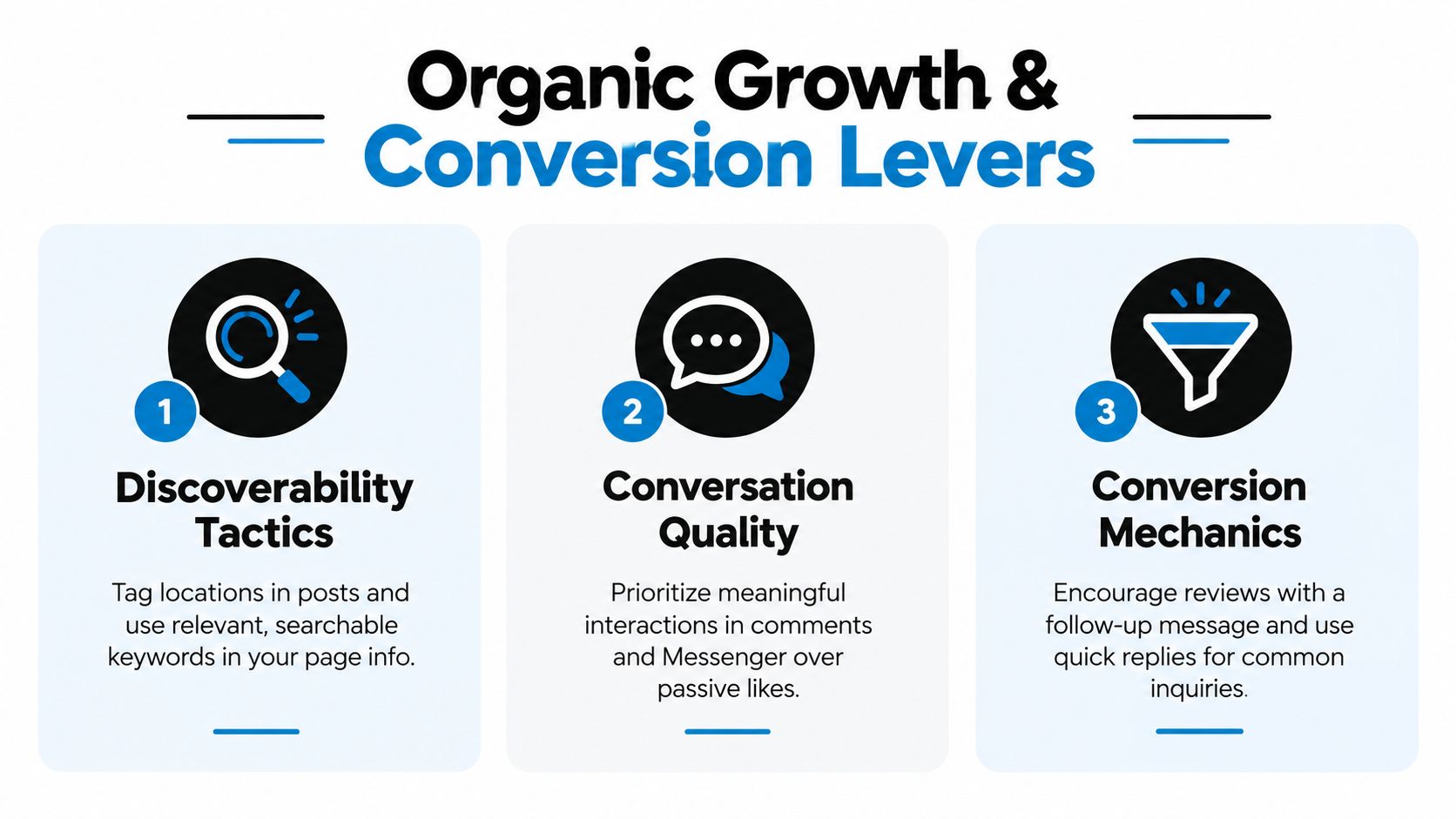
Use the words customers use in post captions, service descriptions, and local updates. A roofing company can mention roof inspections, storm damage repair, and the communities it serves without repeating the same phrase mechanically. Tag relevant locations when appropriate, and make project photos descriptive rather than posting “Another job done.”
Reviews create a second conversion path. Ask after a completed job, when the customer has experienced the service, and make the request easy to follow. A technician might send a short follow-up message with the review link and a polite request for honest feedback. A QR code on a receipt or leave-behind card can support the same process, provided the request doesn't pressure customers to submit only positive reviews.
Respond like a person
Positive review response:
“Thank you, Maria. We're glad the water heater installation went smoothly. We appreciate you trusting our team.”
Negative review response:
“We're sorry the visit didn't meet expectations. We'd like to review what happened and make this right. Please message us with the service address or call our office so a manager can follow up.”
Don't argue in public, disclose private customer details, or copy the same response under every review. Acknowledge the specific issue, move sensitive discussion to a private channel, and document the follow-up internally.
Messenger automation helps when it removes repetitive friction. An instant reply can confirm receipt, state business hours, and ask for the information needed to route the inquiry. Quick replies work well for questions such as service areas, appointment availability, and emergency contact options.
Automation hurts when it blocks access to a person. Don't force a customer through a long menu when they're reporting a leak, locked-out vehicle, or urgent repair. Give them a clear route to a human.
A simple response checklist keeps the Page commercially useful:
- During business hours: Monitor Messenger, comments, and reviews throughout the working day.
- After hours: Set an instant reply with hours, emergency instructions where relevant, and the next response expectation.
- For qualified inquiries: Ask for location, service needed, timing, and the preferred contact method.
- For public comments: Answer the useful part publicly, then move private details into Messenger.
- For reviews: Respond individually and flag issues for an internal service follow-up.
Use social media engagement tactics for business Pages to build conversations around customer needs rather than passive reaction counts.
The video below provides another visual reference for turning social interaction into a more deliberate business process.
Analytics and A/B Testing for Small Pages
A small Page cannot afford to judge performance by follower growth alone. Limited reach means each post supplies imperfect evidence, so the dashboard should connect visibility with actions that support inquiries, bookings, or sales.
Review these measures weekly:
- Engagement rate by reach: Shows whether people who saw the post interacted with it.
- Comments and meaningful replies: Reveals whether the content prompted a useful conversation.
- Messenger starts: Connects Page activity with potential sales discussions.
- Response time: Shows how quickly the business handles prospect questions.
- Video watch time: Indicates whether a Reel holds attention.
- Link clicks and form completions: Tracks movement toward an off-platform conversion.
A conversion asset needs more than reach. A post with modest distribution may still outperform a highly visible post if it produces qualified messages or completed forms.
Facebook metrics can point in different directions because each formula uses a different denominator. Iconosquare's analysis of 2,810 Pages reported a page-level average engagement rate of 28.3%, an average engagement rate per post of 3.22%, and average engagement on reach of 0.09%, as detailed in its Facebook engagement benchmark analysis. The comparison shows why a Page can appear healthy under one calculation and weak under another. Record the formula beside every benchmark.
Test one variable at a time
Meta Business Suite supports practical comparisons between creative, copy, and CTA choices. Select one variable, keep the audience and offer as consistent as possible, and define the business outcome before publishing.
For example, test:
- A technician-led Reel against a static service image.
- “Call for same-day service” against “Message us for availability.”
- A local customer story against a general educational tip.
Do not call a winner after a few impressions or reactions. Small samples contain noise, especially when reach changes from post to post. Compare similar posts with the Page's own baseline and look for a pattern that repeats.
Review results on a set schedule. Weekly checks suit post-level engagement, comments, response time, and video watch time. Monthly reviews are better for follower growth, audience changes, and broader competitive comparisons. Socialinsider's Facebook benchmark guidance supports separating short-term post analysis from slower account-level trends. This cadence keeps daily fluctuations from dictating major changes.
Use an operating rule, not a rigid verdict: retain formats that beat the account's reach baseline by 50% or more for two consecutive weeks, revise borderline formats, and retire content that repeatedly misses its goal. A post that generates a qualified lead may deserve another test even when its reach looks ordinary.
Connecting Your Page to Local Listings and Paid Campaigns
Organic Page work performs better when the surrounding local ecosystem tells the same story. Sync the Facebook Page with the Google Business Profile, Apple Maps, Bing Places, Yelp, and the company website. Keep the business name, address, phone number, hours, service-area wording, and primary offer consistent.
Add the Page handle to the website's social links, relevant email signatures, and customer follow-up messages. For businesses with multiple locations, make the relationship between each Page, branch, phone number, and location explicit. A visitor shouldn't land on a Page for one city and find contact details for another.
Paid promotion should amplify a working path, not compensate for a broken one. A small Meta campaign can make sense when the Page already has a clear offer, credible reviews, fast response handling, and a destination that supports conversion.
Choose the right paid use case
Retargeting Page visitors, promoting a strong organic post, and reaching nearby service prospects serve different purposes. Boosting can be simple when the goal is to extend an existing post's exposure. Ads Manager offers more control when the business needs lead forms, defined audiences, placements, or conversion tracking.
A local service business might promote a proven customer-result post to people near its service area, then route responses into Messenger or a quote form. The creative should preserve the original proof and make the next action obvious. A cold interest campaign may be less efficient if the Page hasn't established why the company is credible or what makes the offer relevant.
Use Facebook Ads campaign planning and setup to connect the objective, audience, creative, tracking, and follow-up process before spending. The important question isn't whether an ad received impressions. It's whether the campaign produced conversations, appointments, calls, store visits, or another defined result.
| Page Goal | Best Lever First | Paid Add-On If Budget Allows |
|---|---|---|
| Correct local information | Listings and profile consistency | Promote the Page to nearby audiences |
| Build trust | Reviews and customer proof | Promote the strongest proof-led post |
| Generate service inquiries | Messenger and clear CTA | Lead campaign or retargeting |
| Increase store visits | Hours, location, offer, and directions | Local awareness promotion |
| Improve content performance | Native creative testing | Boost a post that already earns meaningful action |
| Recover abandoned interest | Fast follow-up and clear offer | Retarget Page or website visitors |
Before increasing spend, diagnose the weakest link:
- Organic weakness: Posts receive little relevant interaction or fail to create questions.
- Local weakness: Business details conflict across Facebook, Google, the website, or directories.
- Conversion weakness: Visitors see the Page but don't know whether to call, message, book, or visit.
- Paid weakness: The campaign reaches people but doesn't produce a measurable business action.
- Follow-up weakness: Leads arrive, but replies are slow, incomplete, or routed nowhere.
Facebook Business Page optimization works when these pieces reinforce one another. SWAT Marketing Solutions provides social media strategy, local SEO, listings support, Facebook advertising, website and landing-page work, and analytics integration for businesses that need the Page connected to a broader lead-generation system.
SWAT Marketing Solutions can audit your Facebook Page, local listings, website path, and conversion tracking to identify where prospects are dropping off. Visit SWAT Marketing Solutions to request an assessment and build a practical plan for turning your Page into a stronger local trust and lead-generation asset.